1. Log into your account and open the email (if you’re using Yahoo Mail Beta with the new preview interface, make sure you double-click on the email so that it opens in a new tab)
2. At the top right, you’ll see there is a drop-down option where Standard Headeris selected by default.
3. Click on it and choose Full Header.

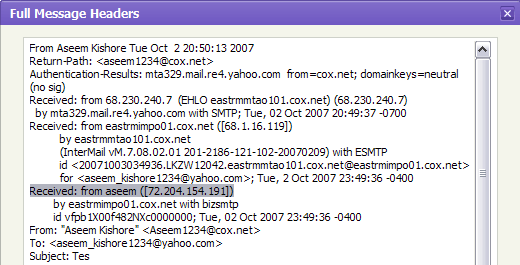
Again, you’ll see the same information as before, just in a different window:


 Posts
Posts


No comments:
Post a Comment